Turn your child's drawing into a custom wooden pencil box! This fun, one-of-a-kind keepsake is made easy with the xTool M2.

This is such a great project to do solo or with young makers. I actually taught this project in a recent introductory laser class for elementary students, and we had so much fun. Watching their excitement as their hand-drawn designs were transformed into a real, physical object was such a cool experience. Be sure to check out their finished pencil boxes at the end of the post!
New to laser cutting? Be sure to check out how to get started with the xTool M2 laser machine!


To make your own Custom Drawing Pencil Box, you will need these supplies:
- Box Lid Template (personal use only)
- Copy Paper
- Pencil
- Black Sharpie
- xTool M2 laser cutting machine
- Pencil Box Design (personal use only)
- 3mm Basswood
- Acrylic Paint
- Stain or Antiquing Wax
- Paint Brushes
- Strong Adhesive
Printables and cut files from Artsy-Fartsy Mama are for personal use only. This means you may use these for your own creations, but you may not sell them. If you'd like to share this project digitally, share a link to this post/website only. Do not share a direct link to the printable/cut file.

Start by printing the Box Lid Template on copy paper. Sketch out your design inside the box using a pencil to start with so that you can easily make changes. Once you're happy with it, outline your art with a Sharpie (black, preferably) and erase the pencil marks.
Next, scan or take a photo of your drawing and upload it to your favorite photo editor. Convert the image to grayscale, then boost the contrast until you have a sharp, high-contrast black-and-white version of your original art. Lastly, erase the template border.

Next, upload the Pencil Box Design into xTool Studio or open the XCS file. The design is set by color: the pieces that are red need to be set to "Cut" and the black text labels need to be set to "Score". Be sure not to resize the box design, as the slots and joints are specifically measured to fit 3mm wood perfectly.
Bring in your edited drawing image right after. Because the background is white, it can make the box lid cut line a little tricky to see. To fix this, just select the image, click the "Arrange" icon in the top menu bar, and choose "Send to Back".
When you upload a PNG or JPG, the software will automatically set it to "Engrave", so you don't need to worry about choosing between cut, score, or engrave. You can tweak these settings if you like, but I've always gotten beautiful results from the default settings.

Next, resize your image so that the drawing fits neatly inside the box top cut lines. Don't worry if the outer edges of your image extend past the cut lines (refer to the screenshot above to see what I mean). Once everything is lined up, select both the drawing and box top and group them together so they won't shift out of place.

In xTool Studio, select 1/8" (3mm) basswood as your material setting. The software features built-in processing presets to make sure your cuts, scores, and engravings turn out perfectly every time.

Now that your project is all set to go, place the wood onto the honeycomb bed inside the xTool M2. Attach the magnetic clips to make sure your wood stays securely in place!

Once you close the lid of the machine, the built-in camera will pull up a live picture of the bed. Use that image as a guide to arrange the pencil box pieces on the wood. I always recommend clicking the "Framing" feature to double-check your placement since it will show you exactly where the machine is going to cut.

The "Processing" screen will show the project design, safety reminders, and an estimated processing time. I always find this helpful to know just how long the project is going to take to cut and engrave. You can also click "Enable Monitoring" in the bottom left corner to engage the overhead camera to watch the process in real time!

There is truly nothing quite like watching your drawing being engraved onto the wood. The kids get so excited watching the machine work its magic!

Once the engraving is finished, the machine will move on to cut out all the pieces of the pencil box.

Once the process is done, remove the wood from the machine and set the pieces aside. It's important to keep the base of the machine clean to prevent problems with smoke and fire hazards. After every few projects, give the base a quick wipe-down using isopropyl alcohol and a microfiber cloth.

Next, brush a generous coat of antiquing wax (or wood stain) over the lid. This not only seals and protects the wood but it also makes the engraved details pop!

Use a paper towel to wipe away the excess wax. As you wipe it away, check to make sure that all the engraved details are filled in. If you see any areas that were missed, dab on a little more wax and wipe it away again. Set the lid aside to dry.

While the lid is drying, it's time to paint the remaining box pieces! Acrylic paint is a great choice, but Unicorn Spit is fantastic if you want the wood grain to peek through. For my pencil box, I watered down some blue Unicorn Spit in a little cup and brushed a generous coat over both sides of each piece. It goes on looking quite dark, but don't worry - it lightens up as it dries!

Make sure to let everything dry completely before putting your custom pencil box together.
Before you start assembling the pencil box, take a quick look at the pieces to find the small text that was scored into the wood as a label. You should see a bottom, front, back, and two mirrored side pieces! These labels will face the inside of the pencil box, so keep that in mind as you put it all together.

Lay the front piece down with the label facing up on your workspace. Add small drops of adhesive along one of the long edges of the bottom piece (skip over the center tab). Fit that center tab into the front piece and gently press them together. Since the adhesive doesn't set instantly, hold the pieces in place for a few minutes.
Repeat the process for the other side (see image above). Apply small drops of adhesive along the edge, skipping the tab in the center. Slip the tab into the back piece, and hold it in place until it's secure.

Next, carefully stand the box up on its side so you can attach your first side piece. Add small drops of adhesive along all three edges, making sure to skip the center tabs. Pick up one of the side pieces. Position it so that the label faces inside the box and the small circle cutout matches up with the back piece. Fit it into place like a puzzle piece, gently press it down, and wipe away any excess adhesive if it seeps out.

One of the features of this box is that it's completely hinge-free. The lid's built-in tabs slide right into the circular cutouts on the side pieces, allowing it to open and close smoothly!
Line the top edge of the lid with the back piece, slip the tab into the cutout on the side piece, and then stand the pencil box upright on its open end to finish putting it together.

Add small drops of adhesive along the three remaining edges, making sure to skip the center tabs. Fitting this last side piece takes a little patience because you'll need to align it with all four sides of the box. Hold your lid in place and gently ease the side piece onto the end. Line up the tabs, and guide the lid tab through the cutout hole, and gently press into place.

Let the box sit undisturbed for at least an hour to give the adhesive plenty of time to set. I know it's hard to resist, but trust me - if you handle it too soon, the edges can pop loose and you'll have to rebuild it!

Once the adhesive has set, you're free to open up your box and fill it with all your favorite school supplies! I made sure the design was nice and roomy, giving you plenty of space for your custom engraved pencils, a full set of colored pencils, a box of crayons, and more.

I was honored to be invited to teach an introduction to laser cutting at a local elementary school, and we had the best time creating custom pencil boxes together in the classroom. The kids loved seeing their own drawings engraved on wood, and then getting creative in painting and assembling their pencil boxes. I am so proud of these kids and loved getting to see their excitement about using a laser cutting machine!
I can't wait to see how your custom pencil boxes turn out! Be sure to share your finished projects on Instagram, Facebook, or leave a comment/photo on the project pin on Pinterest! #AFMCrafts.
Looking for more back to school inspiration?
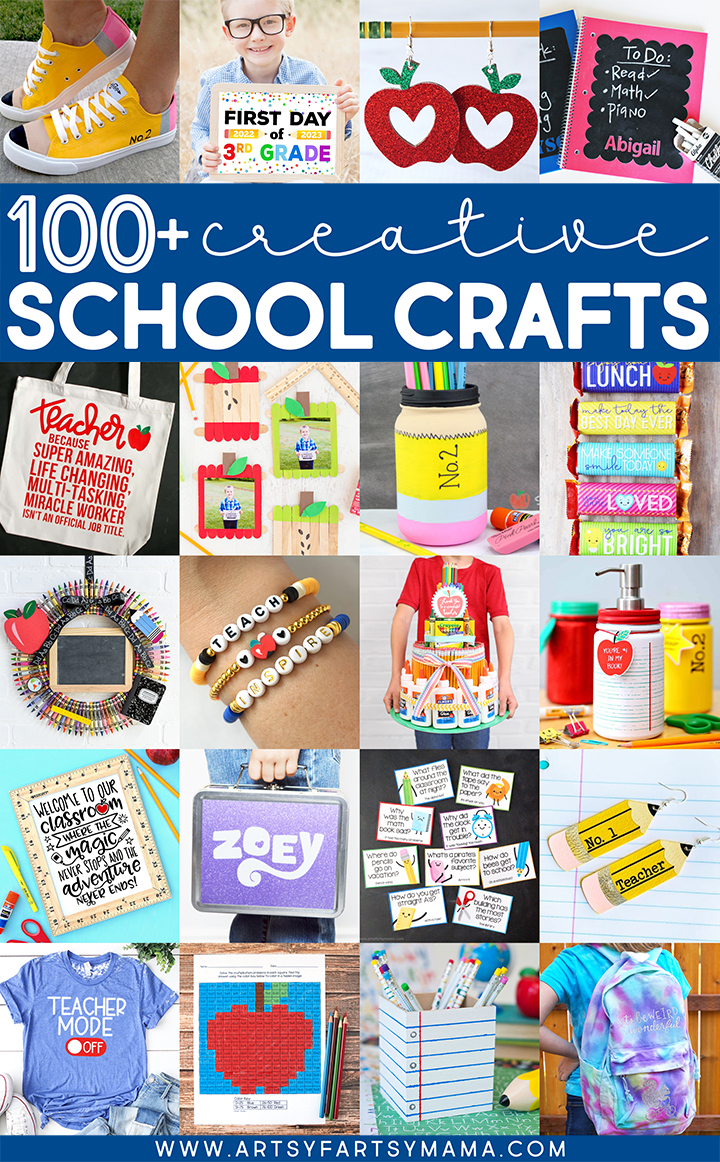
Check out this collection of OVER 100 creative back to school craft ideas!!
Don't forget to Pin, Like, and Share!